


How we work
Our three-stage process helps you choose the right work, prove its value early, and delegate more as your confidence grows.
Stage 1 of 3
We find where AI can save the most time or create the greatest return, then prioritise what to build first.
Explore this stageNo worthwhile return? We will say so before anything is built.
Stage 2 of 3
We build it around your processes, connect the software it needs, set its permissions, and test its first role.
Explore this stage


Stage 3 of 3
We onboard your team and turn their feedback into shared instructions, enabling them to delegate more work over time.
Explore this stageStart with focus
You do not need to transform your whole business at once.
Start with one role that solves a clear problem. Your AI Employee might follow up quotes, enter work orders, prepare reports, or keep customers informed.
Once it performs that role reliably, give it more responsibility.
One role can create serious capacity
“I reckon I’ve done three months’ work in five days.”
Julian SutherlandDirector · Sutherland Projects
From opportunity to working role
We build your AI Employee for the work that matters most, so your team can put it to work quickly and delegate more over time.
Stage 1 of 3
We begin by learning how your business works, where your team loses time, and what is limiting growth.
You may already have tasks you want to automate. We assess what AI can handle reliably, what should remain with your team, and which opportunities justify the investment.
Or you may know the result you need, such as more capacity, less administration, faster cash collection, better customer communication, or fewer missed follow-ups, without knowing how AI can help.
We turn the strongest opportunities into a practical roadmap that prioritises what we will build, what your team can implement, and where to begin.
We review the recommendations with you and agree on where to begin.
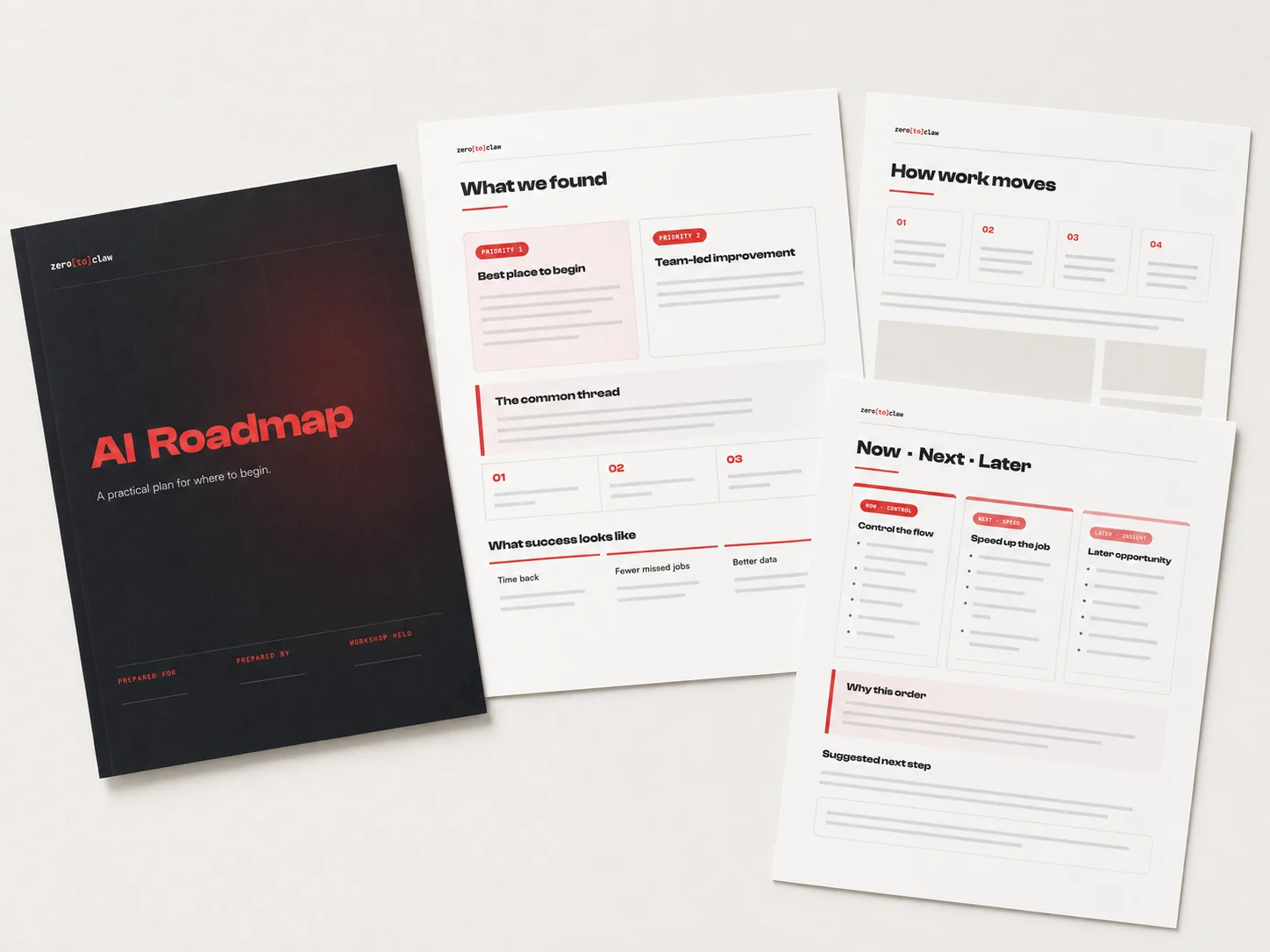
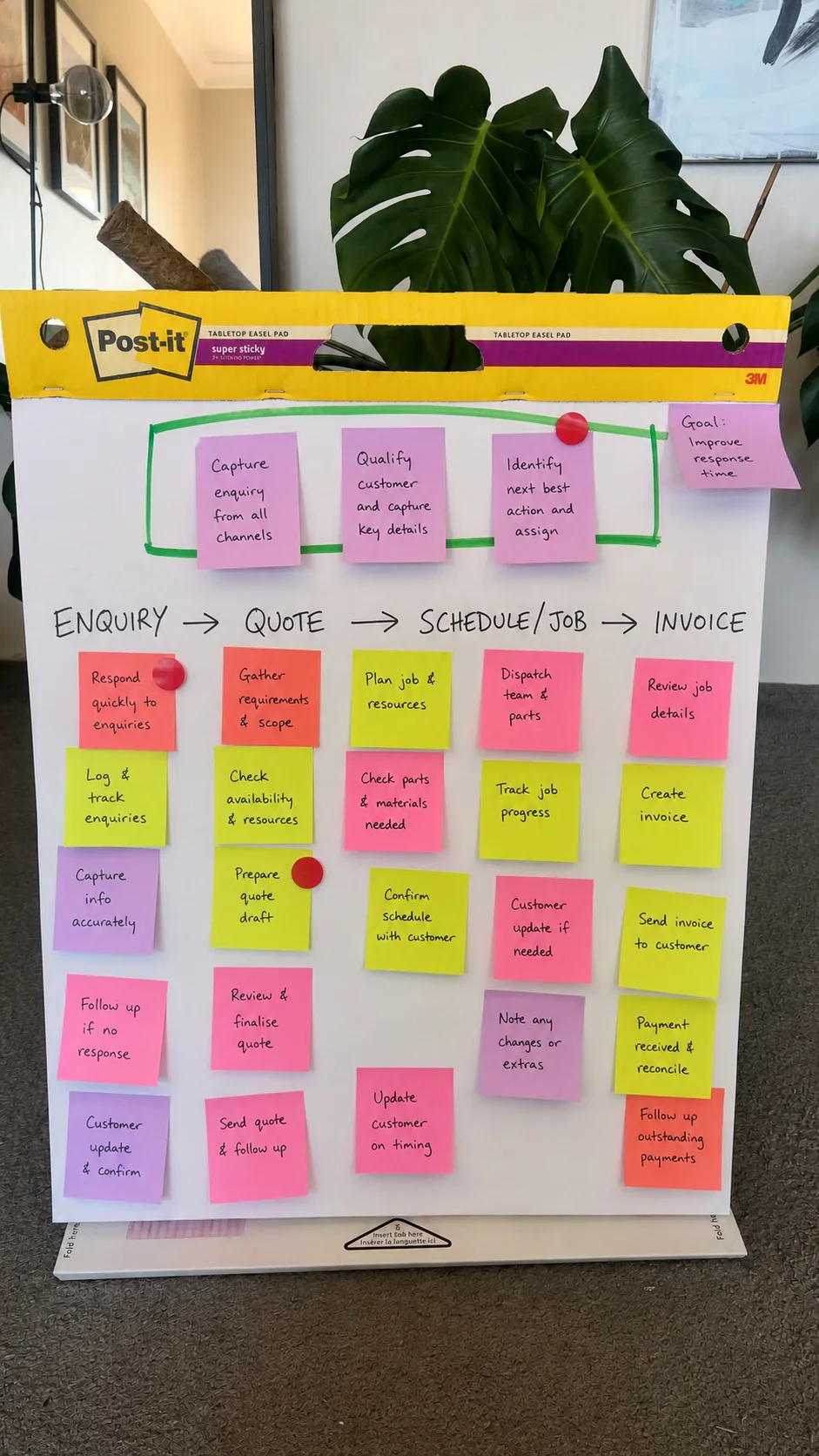
A visual map of how work moves today, followed by a practical report showing where to begin, what your team can improve, and what can wait.
Stage 2 of 3
We turn your chosen priority into an AI Employee built around the way your business already works.
You give it a name, choose how it communicates, and select the messaging channels your team will use. Your people can delegate work through familiar tools without learning another complicated system.
We connect your AI Employee to the software and company knowledge required for its role, such as ServiceM8, Simpro, email, accounting software, and your CRM.
Once connected, it can find the information it needs, update job records, complete administration, and move work between applications. Your team can set that work in motion with a simple text or voice instruction.
You remain in control. You decide what it can access, what it can do, and when it must ask for approval.
If we build a role for you, we start with a working prototype. We test it against your requirements, refine its performance, and show your team how it works before it handles live work in your business.
Explore available software connectionsText or voice through familiar tools
You decide when it must ask
Refined before live work begins
Stage 3 of 3
We launch your AI Employee with a practical onboarding session that gives your team the confidence to use it from day one.
We show your people what they can delegate, how to give clear instructions and feedback, and when the AI Employee will ask for approval.
Your team can assign work by text or voice through familiar messaging tools, whether they are in the office, in the van, or on site. If they can explain a process to a new employee, they can delegate it to an AI Employee.
Start with one useful role that takes recurring work off your team, such as entering work orders or following up customers. As your AI Employee performs that work reliably and earns their trust, give it more responsibility across scheduling, customer communication, job profitability, or management reporting.
Your team’s feedback makes it more useful. Save that feedback as shared instructions, and your AI Employee follows them whenever the same situation arises.
Over time, individual tasks become connected workflows that keep work moving with less manual effort. Your team gains capacity, fewer things fall through the cracks, and your AI Employee takes on a more valuable role in the business.
Teach it once. Your whole team benefits.
Save your team’s feedback as a shared instruction. Your AI Employee follows it whenever the same situation arises, so no one has to explain it twice.Strata quotes require office approval before sending.
Saved for the whole businessDraft prepared. Waiting for office approval.
Rule applied automaticallyWhat your ongoing service covers
Protected, maintained, and under your control: Your AI Employee will likely become an important part of your daily operations. We manage the hosting, safeguards, maintenance, and technical support that keep it available and working as intended.
Managed by ZeroToClaw
Built for your businessFoundation
We host your AI Employee in a dedicated environment managed by ZeroToClaw. You retain ownership of your business data, company knowledge, and AI Employee outputs.
Private hostingOperations
Health checks, monitoring, backups, and tested platform upgrades help keep your AI Employee secure, reliable, and up to date.
Managed careControl
Multi-factor login protects access. Permissions, approval rules, and action history let you decide who can use your AI Employee, what it can do, and when it must ask before acting.
Your rulesTeam support
Our technical team supports your managed AI Employee, its connected applications, and the capabilities we deliver. Video tutorials also help your team teach it new tasks and build workflows.
Real supportGrowth
Your team can add new tasks as its confidence grows. If you need more help, we can provide coaching or scope a more complex role for you.
Room to growCustomer proof
Grant’s AI employee keeps customer follow-up moving. At ADACS Security Systems, two specialist agents cover incoming work and accounts receivable.
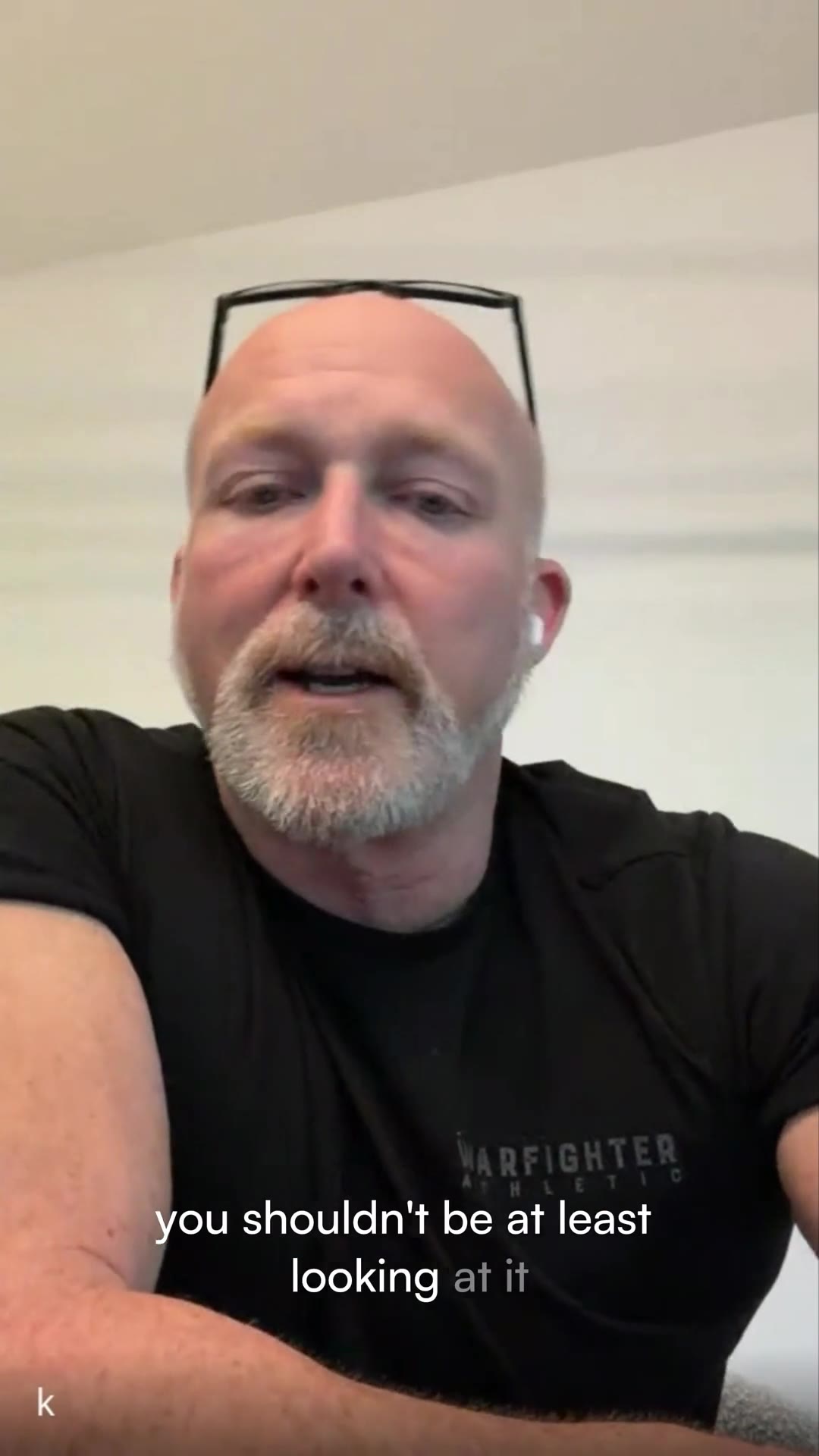 Kevin HanlonADACS Security Systems Watch the film, 2:21 Watch · 2:21
 “The good thing is the task list. The agent’s running that.”
Agent 1George handles incoming workReads the work, creates the customer or quote record and reports back.
→Agent 2Remi handles accounts receivableInvoice follow-up, reply handling, exceptions and an owner summary.
 Grant ParkerParker Blinds Watch the film, 12:20 Watch · 12:20
Trade business · ServiceM8Grant · Parker Blinds
“It follows up on things so I don’t have to, then flags what I need to know.”What changed: The agent keeps inbox and quote follow-up moving, then flags the exceptions Grant needs to handle.
Grant described the workflow and results in a recorded customer story. Results are his experience, not a guarantee.
Before you begin
We can usually personalise your AI Employee, connect the required software, and onboard your team within one week.
If you want us to build a new or tailored role, allow three to five weeks in most cases. The exact timing depends on the role’s complexity, our availability, and how quickly your team provides access, information, and feedback. We confirm the expected timeframe before the build begins.
We start with the role that can create the greatest return for your business.
If you already have a clear priority, we assess whether AI can perform it reliably and whether it justifies the investment. If you are unsure where to begin, we run a workshop covering your operation from finding and quoting customers through to completing jobs and collecting payment.
Together, we compare the value, complexity, and practical impact of each opportunity, then agree on the best place to start.
Yes. Your team can teach your AI Employee new tasks and build workflows across the software it can access.
Practical onboarding and video tutorials in your dashboard show your team how to get started. If they can explain a process to a new employee, they can learn to delegate it to an AI Employee. As their confidence grows, they can add more tasks and expand its responsibilities.
If they need a hand, they can use any coaching included in your package or arrange additional coaching with us. We can also scope and build more complex roles for you.
You continue to receive technical support for your managed AI Employee, its connected applications, and the capabilities we delivered.
If something we built stops working, we take reasonable steps to restore it. We also answer technical questions and provide video tutorials that help your team use the AI Employee effectively.
If you need training, help with a customer-built workflow, a new capability, or a significant change to an existing role, we can provide coaching or scope the additional work separately.
Your managed service keeps the foundations of your AI Employee secure, reliable, and supported. It includes:
Depending on the selected package, we aim to respond to technical support requests within one business day. This is a first-response target. Resolution time depends on the nature of the issue.
You do. You retain ownership of the business data, content, documents, instructions, agent memory, conversation history, and other information you provide or connect. You also own the outputs your AI Employee generates.
ZeroToClaw does not sell your data or use your content to train AI models. We only use it as needed to provide, support, and secure your service.
We maintain the managed environment and support the AI Employee, connected applications, and capabilities we deliver.
Your team can teach the AI Employee new tasks and build workflows using the tutorials and coaching included in its package. This lets you expand its role without starting again or buying another AI Employee.
When you want expert help, we can provide additional coaching or scope a new role, complex workflow, team training, or significant change for you.
Thirty minutes, your business
Bring the work that is eating your week. We find where an agent makes or saves you the most, show you a live demo on that work, and give you a prioritised list of what to do first. No decision expected on the call.